02 / COLUMN VIEWS
Overview first. Details when needed.
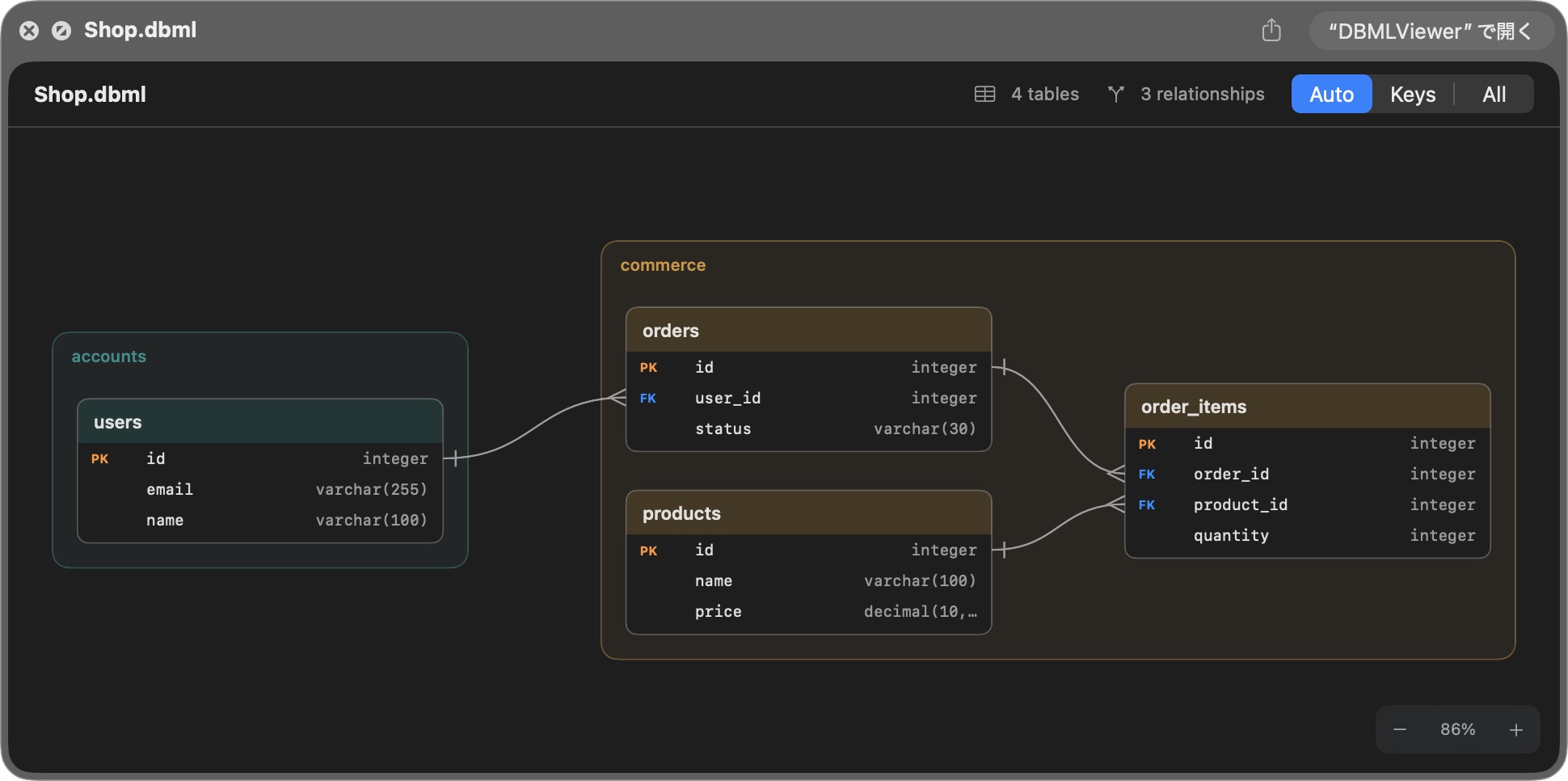
Switch between Auto, Keys and All. Read the key structure, then show more columns when you want the details.
Select a .dbml file in Finder and press Space. See your tables, relationships and TableGroups as an ER diagram.
WHY I BUILT IT
.dbml files was a chore.I write DBML locally, working with an AI agent. To see the diagram I had to paste the file into a web tool, and the TableGroups I had just written only showed up on a paid plan.
DBML Viewer reads the file where it already is. Select it in Finder, press Space, and the groups are there. Nothing is uploaded.
FROM FILE TO DIAGRAM
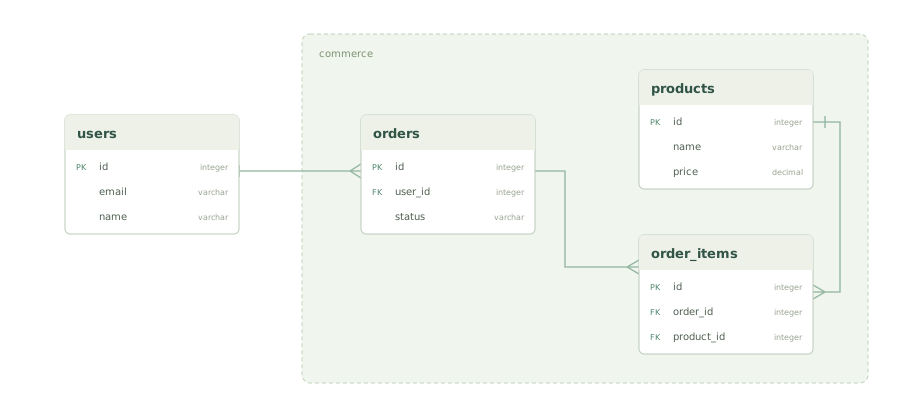
File selected. Press Space to see the diagram.
An illustration of the workflow, not a recording of Quick Look. The actual Finder Quick Look screenshot above shows the real rendering.
MADE FOR YOUR MAC
Open DBML Viewer to make its Quick Look extension available to Finder.
Select a .dbml file and press Space to see its tables and relationships.
Zoom and switch between Auto, Keys and All right in Quick Look. Open the app for a dedicated reading window.
FOLLOW THE STRUCTURE
Your editor handles the writing.
DBML Viewer helps you read the result.
Click a table to highlight its direct relationships and connected tables. Everything else fades so the connections are easier to follow.
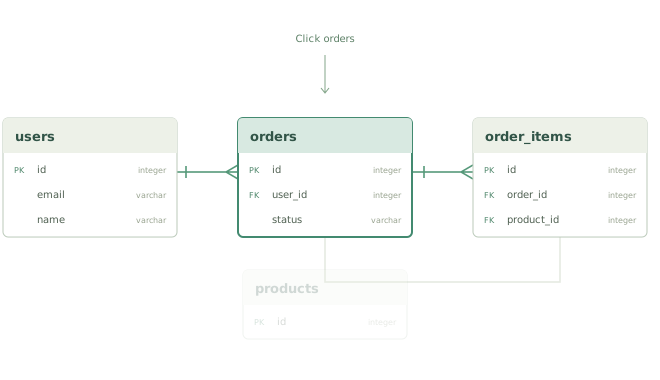
Switch between Auto, Keys and All. Read the key structure, then show more columns when you want the details.
TableGroups appear in labeled, colored frames. Select a group to highlight its tables and the relationships crossing its boundary.
ACTUAL QUICK LOOK · KEYS VIEW
YOUR SCHEMA STAYS WITH YOU
Your file content is never uploaded.
The viewer is read-only, so your source stays untouched.
KNOW BEFORE YOU BUY
A focused viewer has a focused scope. Check the supported syntax and limits before purchasing.
Read-only. One window, one file. No editing, saving or search. More compatibility details ↓
EARLY SUPPORTER RELEASE
The first 10 customers get a special launch price for supporting the initial release. Regular pricing begins with the 11th purchase.
No free trial. If the app doesn’t fit your workflow, the launch policy includes a refund within 14 days of purchase.
 COMING SOON
macOS 14 Sonoma or later
$4.99
Early Supporter · first 10 customersThen $14.99 from the 11th purchase.
Launch offer announced. Sales haven’t opened yet.
Questions? Read the FAQNo trial · 14-day money-back guarantee at launch
A FEW MORE DETAILS
If you need to edit or collaborate on a schema, keep using your editor or design tool. DBML Viewer is for reading the local DBML file you already have: preview it in Finder, or open it for a closer look at its relationships.
No. There is no free trial or trial period. The launch policy includes a 14-day money-back guarantee. Review the actual Quick Look screenshots, supported syntax and limitations before purchasing.
At launch, the first 10 customers will pay $4.99 to support the initial release. From the 11th purchase, the price will be $14.99. The current offer is shown in the pricing section above.
No. This is a read-only viewer, with no editing, saving or search. The app displays one file in one window.
Enum, Project, TablePartial and indexes are skipped without appearing in the diagram. The not null and unique attributes are also not displayed. Some unknown syntax and invalid references produce warnings; structurally invalid DBML produces an error with a line number.
Auto reduces the number of displayed columns as schemas grow. All shows up to 60 columns per table. Relationship highlighting follows direct connections only. The layout does not minimize line crossings or route lines around tables. Files must use UTF-8 and be no larger than 5 MB.
No. Your file content is never uploaded. Diagrams are rendered on your Mac, without telemetry, and your DBML source stays untouched.
Launch DBML Viewer once. If needed, enable the extension under System Settings → General → Login Items & Extensions → Quick Look. The location may vary with your macOS version. Then select a DBML file in Finder and press Space.
macOS 14 Sonoma or later is required. Supported processor configurations and distribution details will be confirmed for the release build before sales open.